House Lights for Jellyfin

A Jellyfin client for Apple TV, iPhone and iPad.

House Lights plays the films and shows on your own Jellyfin server in Apple's own player, with the controls, Picture in Picture and Top Shelf you already know. No account, no ads, and nothing about you collected.

Coming to the App Store · the beta opens soon

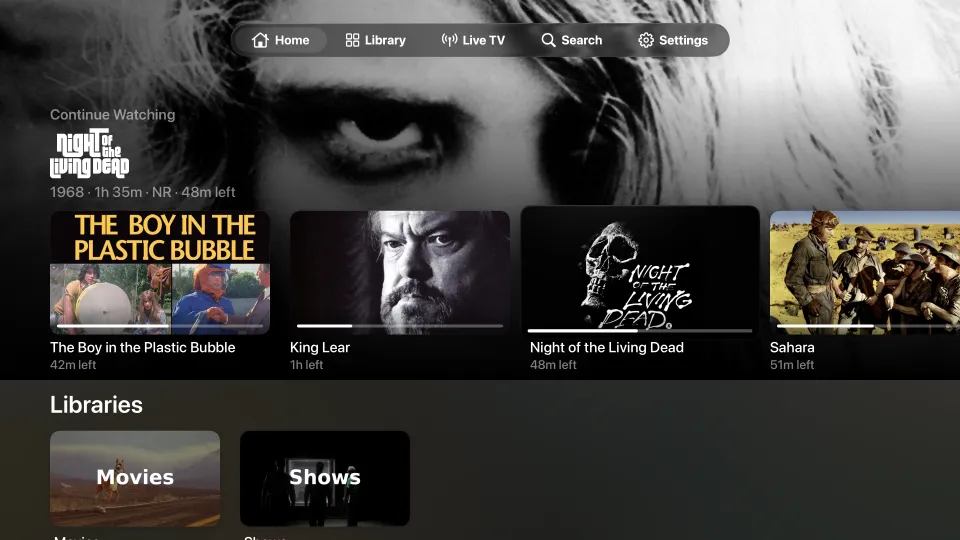
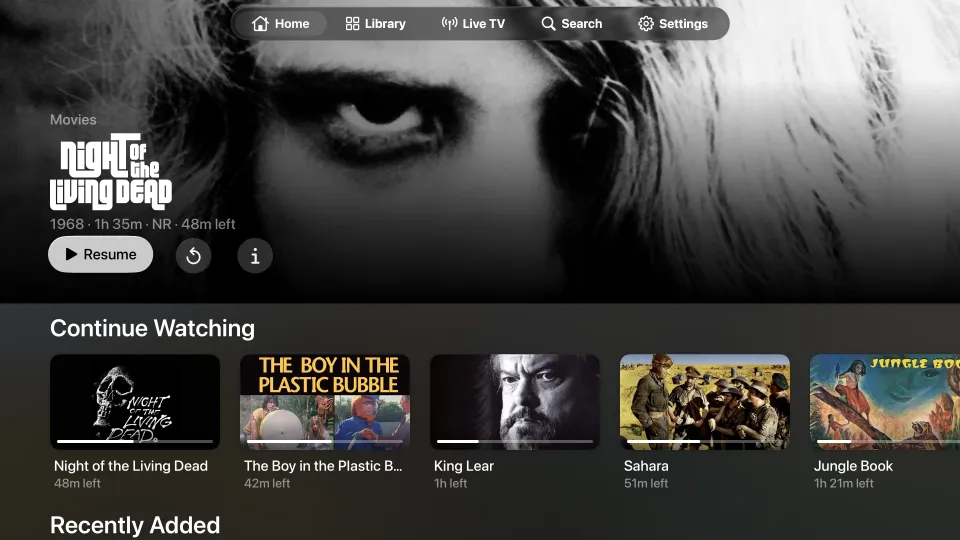
Home on Apple TV: Night of the Living Dead featured across the screen, with Continue Watching beneath it
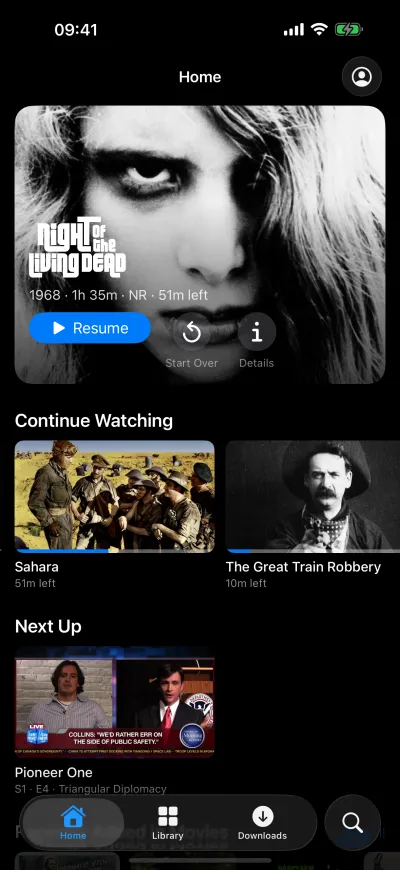
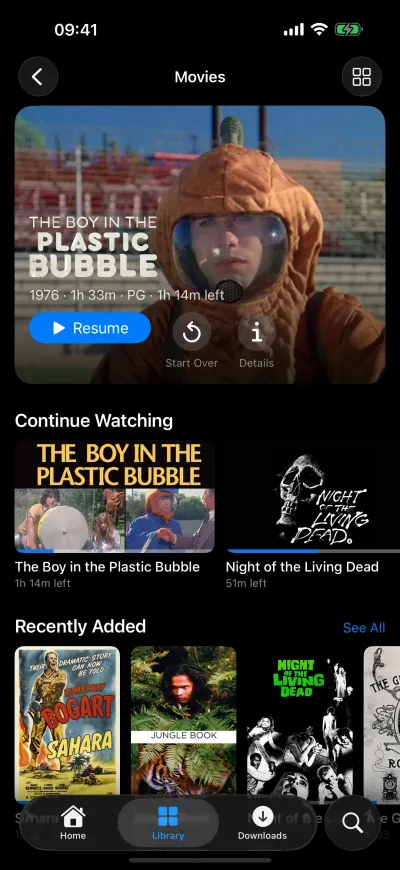
Home on iPhone: Night of the Living Dead featured, with Continue Watching and Next Up below

What it does

All of this works today. Where something is on some devices only, it says which.

Watching

Apple's player, not a lookalike All devices
Playback runs in the system player, so you get Apple's controls, AirPlay, and Picture in Picture on iPhone and iPad. Files your device can play are streamed as they are, 4K, HDR and Dolby Vision included; your server converts the rest.
Picks up where you left off All devices
Progress is saved to your server as you watch, so Continue Watching and Next Up match on every screen, and in Jellyfin's web app.
The next episode starts by itself All devices
When an episode ends, the next one plays in the same player. Turn it off in Settings.
Streaming quality you choose All devices
Leave it on Auto, or cap the bitrate for a slow connection.
Chapters Apple TV
Chapter markers from your server appear in the Apple TV player.

Finding something to watch

Home All devices
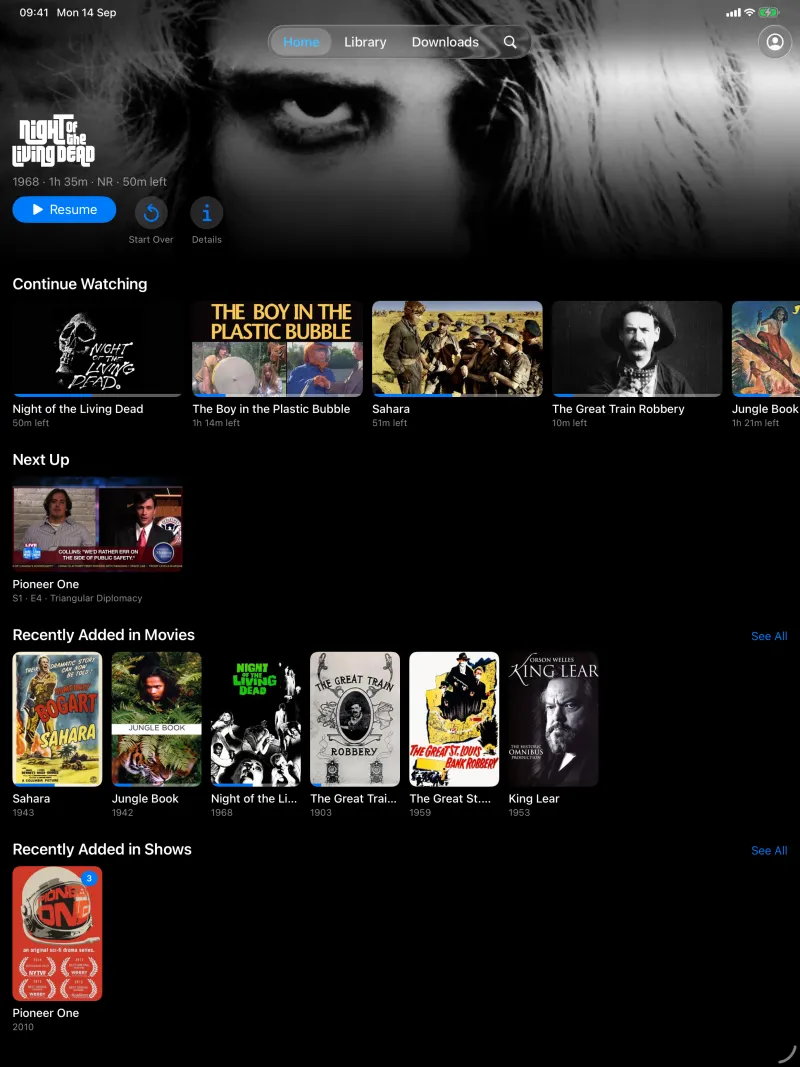
The film or episode you're most likely to want, full width, then Continue Watching, Next Up and what's new in each library.
Library front pages All devices
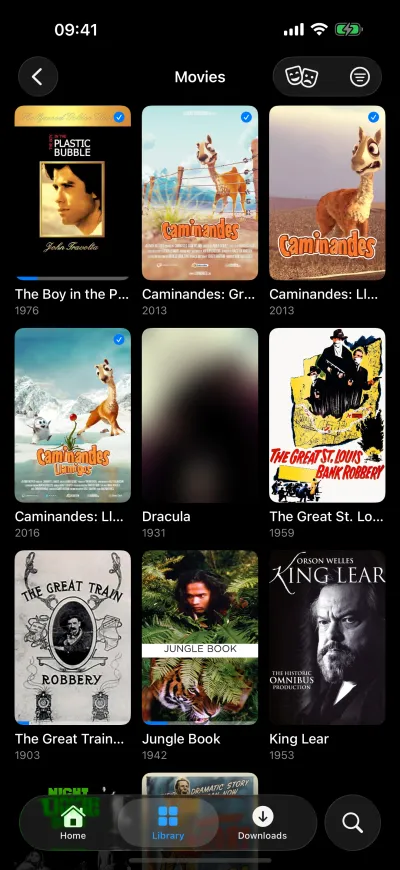
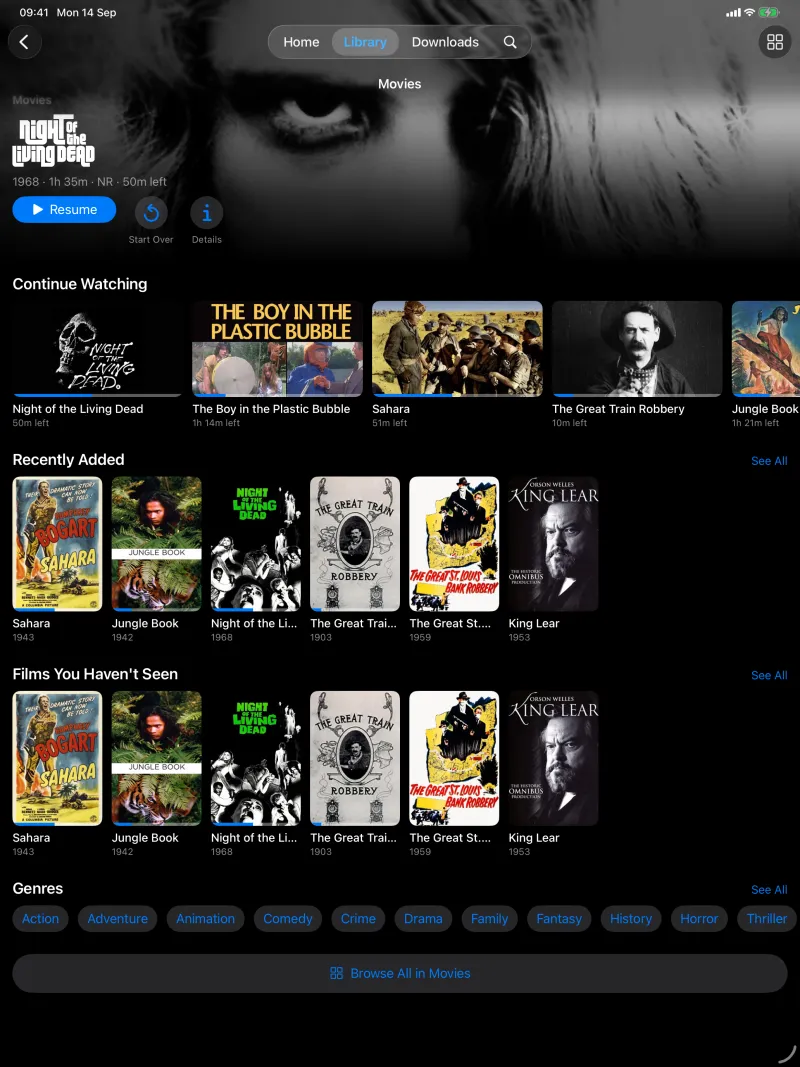
Movies and TV Shows open on shelves of their own, including what you haven't seen, recently added and genres, with Browse All into a grid you can sort and filter.
Film and series pages All devices
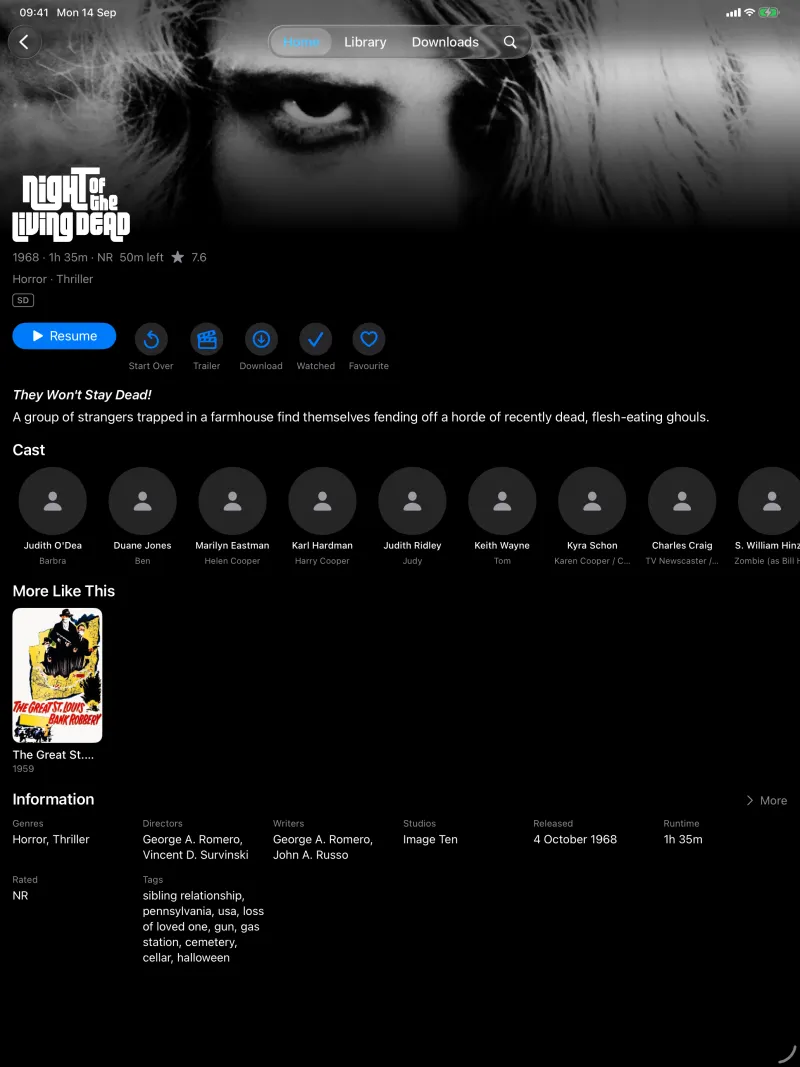
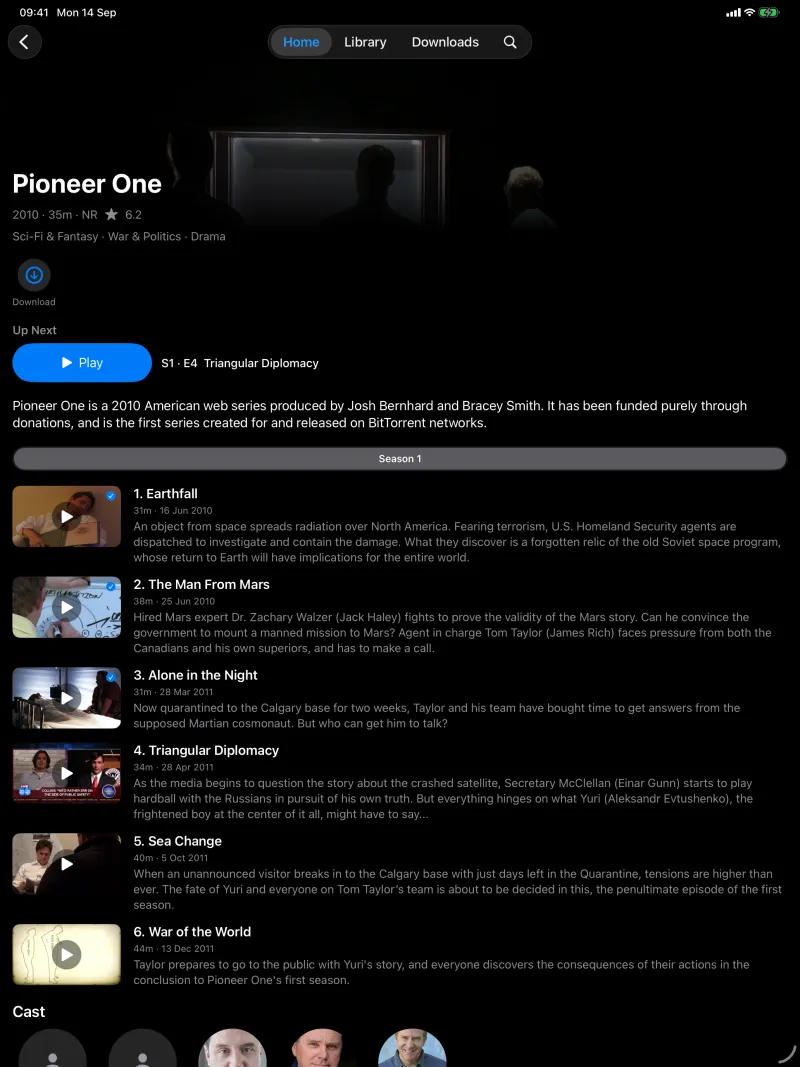
Full-bleed artwork and logos, quality badges read from the file (4K, Dolby Vision, Atmos, subtitles), cast, trailers, collections and More Like This. Series open on the episode you're up to.
Search All devices
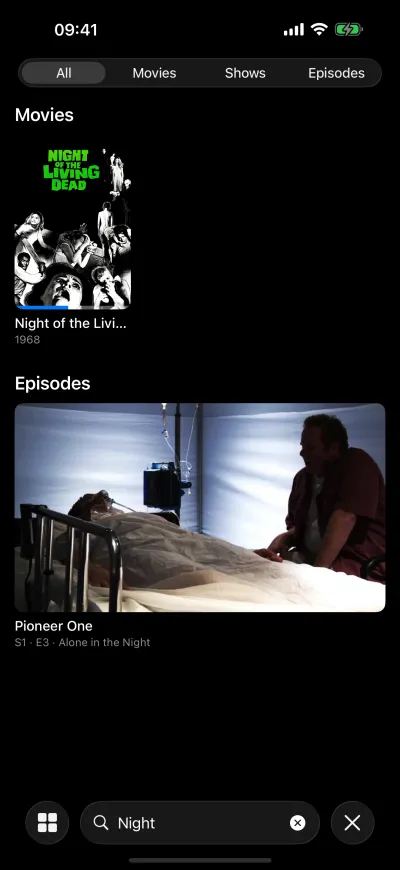
Results as you type, across every library.
Everyone at home

Who's watching? All devices
Save several people and servers. The app opens on a chooser and switches between them without asking for passwords again.
Sign in without typing on the TV All devices
Use Quick Connect: approve the code on screen from any Jellyfin app you're already signed in to. Password AutoFill works too.
Top Shelf Apple TV
Continue Watching and Next Up sit above the app's icon on the Apple TV Home Screen. Select one and it plays.

Away from home

Downloads Pro iPhone · iPad
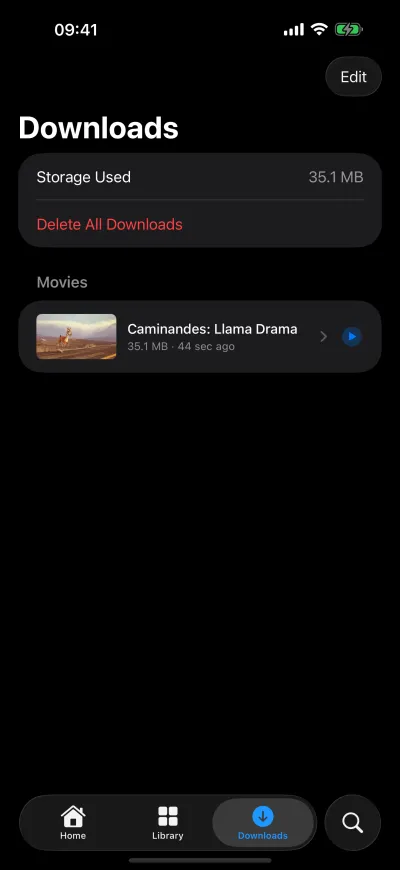
Take a film, a season or the next few unwatched episodes. Downloads carry on when the app is closed, play with no connection, and tell your server what you watched once you're back online.
Servers behind Cloudflare Access All devices
If your server sits behind Cloudflare Access, sign in through Access on iPhone and iPad, or with a service token on Apple TV.

Live TV

Channels and what's on now Pro All devices
If your server has a tuner or an IPTV source, see what's on across your channels, keep favourites at the top, and tune in.
Guide and recordings Coming
A full programme guide, recordings and series recordings are next.

Privacy

Nothing collected All devices
No account to create, no analytics, no ads, no tracking. The app talks to your server and nothing else. Read the privacy policy.

On every screen

Apple TV

Home on Apple TV: Night of the Living Dead featured across the screen, with Continue Watching beneath it
Home opens on what you're most likely to watch, with Continue Watching beneath.
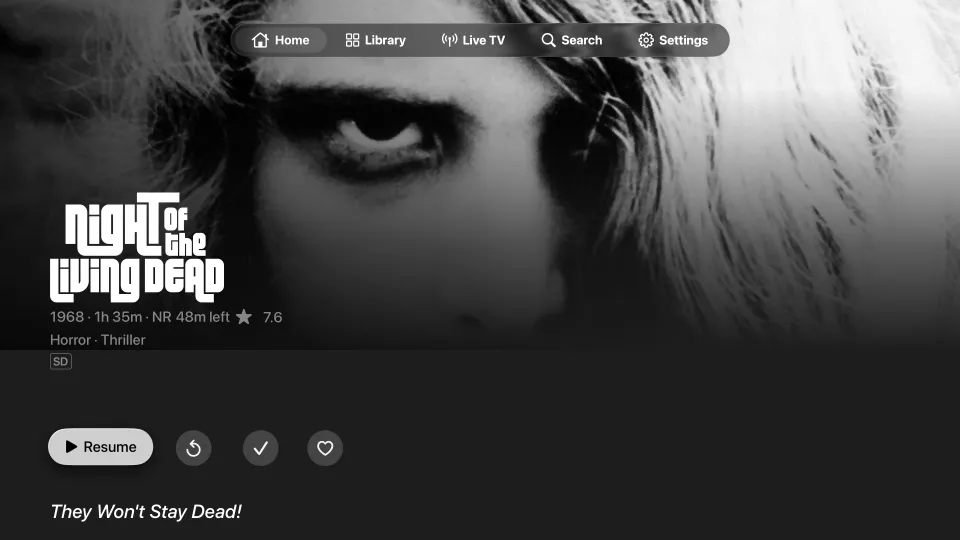
Night of the Living Dead's page on Apple TV, with its artwork, logo, Resume button and quality badge
Film pages open on the artwork, with quality badges read from the file.
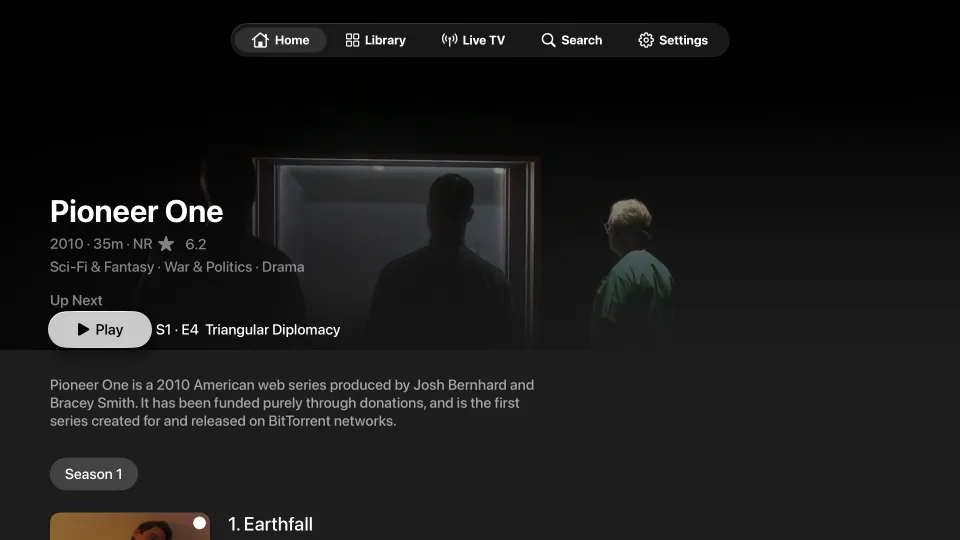
A series page on Apple TV showing the next episode, seasons and episodes
Series pages start at the episode you're up to.
The Movies library front page on Apple TV with a featured film and shelves
Every library gets a front page of its own.
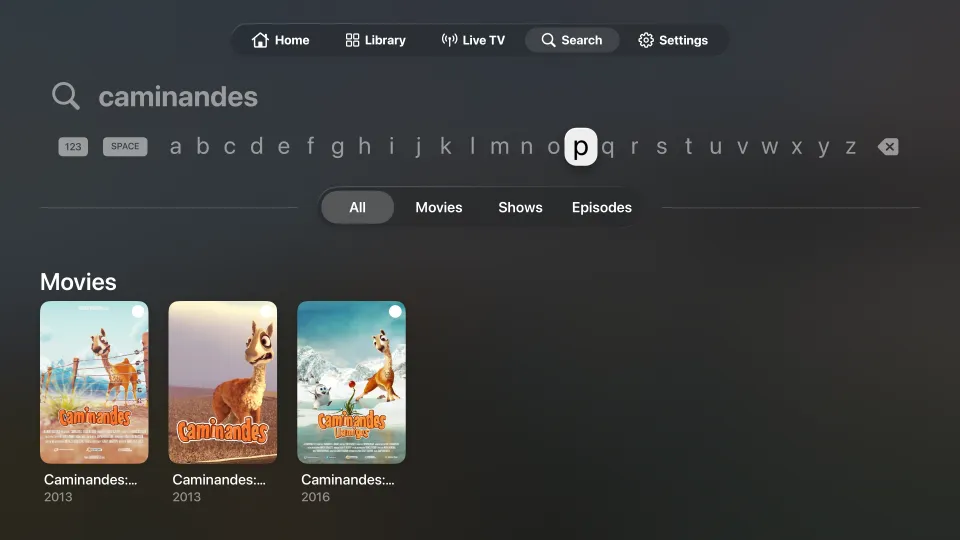
Search on Apple TV for caminandes, with three short films in the results
Search across every library, and narrow it to films, shows or episodes.

iPhone

Home on iPhone: Night of the Living Dead featured, with Continue Watching and Next Up below
Continue Watching and Next Up, synced with your server.
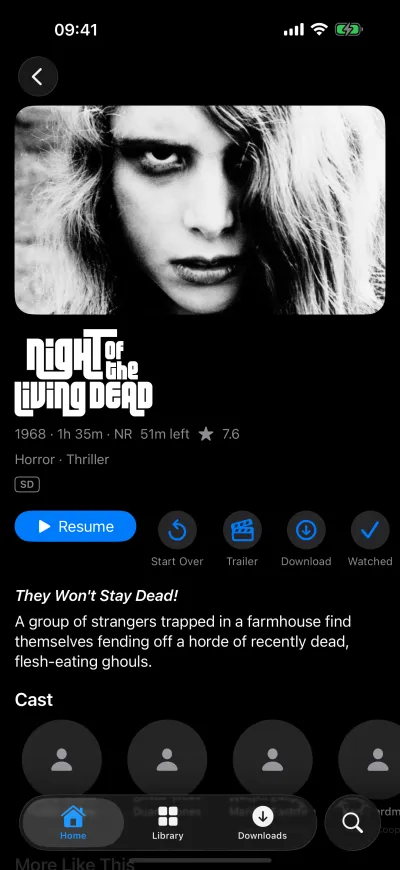
Night of the Living Dead's page on iPhone, with Resume, Start Over, Trailer and Download
Everything about a film on one page.
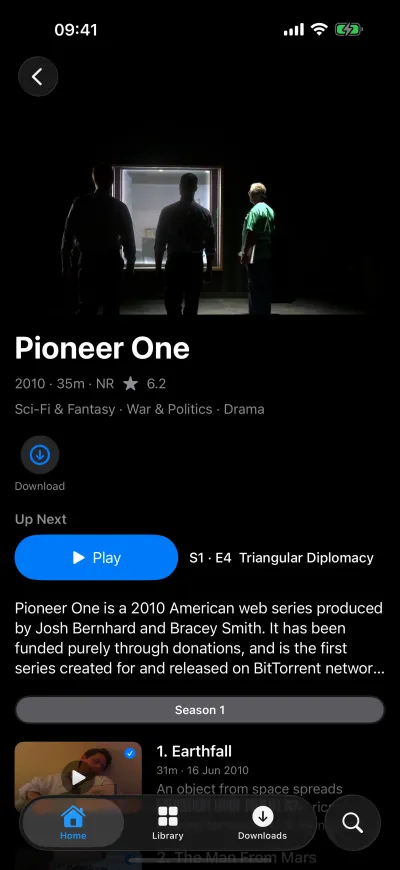
Pioneer One's page on iPhone, with the next episode and the season's episodes
Series open on the episode you're up to.
The Movies library's front page on iPhone, with a featured film and shelves
Each library gets a front page of its own.
A grid of films on iPhone, sorted by name
Sort and filter any library.
Search results on iPhone for "night": a film and an episode
Results as you type.
The Downloads tab on iPhone with a downloaded short film
Downloads play with no connection.

iPad

Home on iPad with the featured film, Continue Watching, Next Up and Recently Added
Home on iPad.
Night of the Living Dead's page on iPad with cast, More Like This and information
Cast, More Like This and the details on one page.
Pioneer One's page on iPad listing every episode of the season
Every episode, with its synopsis.
The Movies library front page on iPad
Library front pages, with genres and what you haven't seen.

Price

Free

£0

  • Browse, search and play your whole library
  • Continue Watching, Next Up and Top Shelf
  • Everyone in the house, with the chooser
  • Quick Connect and Cloudflare Access
  • One download at a time, to try it

Pro

£9.99 once

  • Downloads, as many as your device holds
  • Live TV: channels now, the guide and recordings as they arrive
  • More than one server
  • Every Pro feature added later

One purchase unlocks iPhone, iPad and Apple TV, and is shared with your Family Sharing group. No subscription.

During the TestFlight beta, everything is unlocked.

Questions

Do I need a Jellyfin server?

Yes. House Lights plays what's on a Jellyfin server you run, or one you've been given an account on, version 10.9 or later. It doesn't come with any films or shows.

Is this the official Jellyfin app?

No. House Lights is an independent app that uses Jellyfin's public API. The Jellyfin project makes its own free apps too.

Will my files play?

Anything your iPhone, iPad or Apple TV can play natively streams straight from the file, including 4K, HDR and Dolby Vision where your device and screen support them. Everything else is converted by your server as you watch, so transcoding needs to be working in Jellyfin.

Does it work away from home?

Yes, as long as your server can be reached from outside: through a reverse proxy, a VPN such as Tailscale or WireGuard, or Cloudflare Access. On mobile data, lower Streaming Quality in Settings.

Can I download on Apple TV?

No. Apple TV doesn't let apps keep large files, so downloads are on iPhone and iPad only.

What do I need?

An iPhone, iPad or Apple TV with the current system software (version 26 or later), and a Jellyfin server running 10.9 or later.

What does it collect?

Nothing. There's no account and no analytics. Your sign-ins stay in your device's Keychain, and the app only talks to the servers you add. The privacy policy has the detail.